
Press X, or click Add Text in the Text settings. A new text appears in the middle of the video at the playhead, for three seconds.
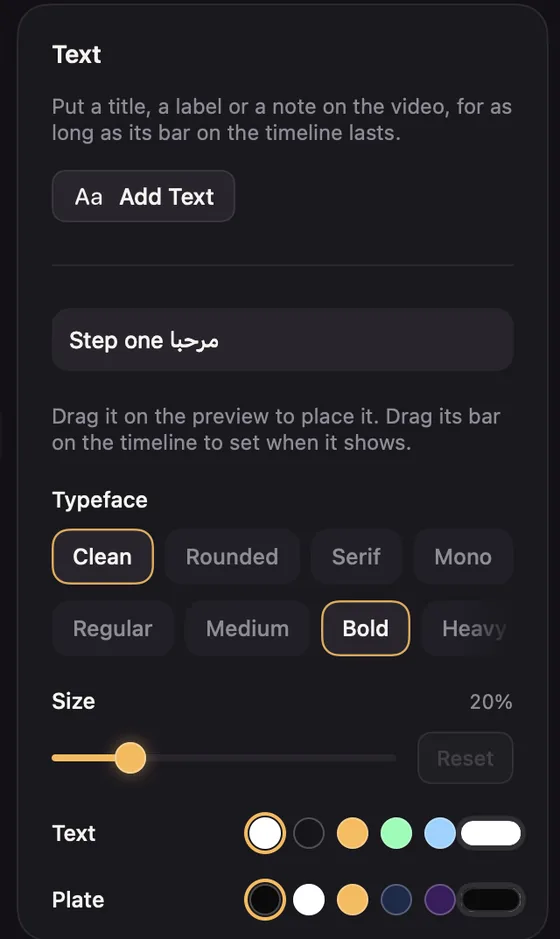
- Type the words in the box. Several lines are fine.
- Place it by dragging its outline on the preview while the playhead is inside it. It snaps to the centre.
- Time it by dragging its bar on the Texts lane.
Style
- Typeface: Clean, Rounded, Serif or Mono, and Regular, Medium, Bold or Heavy.
- Size.
- Text and Plate colours. Plate opacity at zero means no plate; the text gets a soft shadow instead.
- Animation: None, Fade or Pop, for how it arrives and leaves.
A new text copies the look of your last one, so a series of labels stays consistent.