
Once a video has captions, the Captions settings show their style.
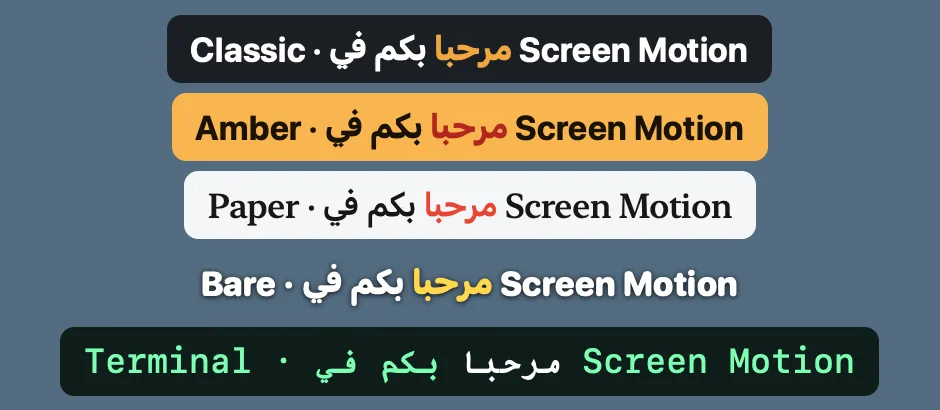
- Look: ready styles. Classic (white on a dark plate), Amber, Paper, Bare (no plate) and Terminal.
- Typeface: Clean, Rounded, Serif or Mono, and Regular to Heavy.
- Size.
- Text, Spoken word and Plate colours, each with a picker for any colour.
- Plate opacity. At zero there's no plate, and the text gets a shadow.
- Bottom or Top.
- Highlight the spoken word: lights up each word as it's said. On by default.
- Animation: None, Fade or Pop, for how each line arrives.
Captions show English and Arabic in the same typeface. Turn them off for the whole video with Show captions on the video.