
These shortcuts work whichever app is in front:
| Shortcut | Does |
|---|---|
| ⌃⌥R | Start or stop recording. Opens the recorder; pressed again while recording, it stops and opens the editor. |
| ⌃⌥P | Pause or resume, while recording. |
| ⌃⌥B | Show or hide the recorder bar, without ending the session. |
Inside Screen Motion, ⌘R also starts a new recording.
Changing them
Choose Shortcuts… in the recorder bar's gear menu, or click Shortcuts on the home window.
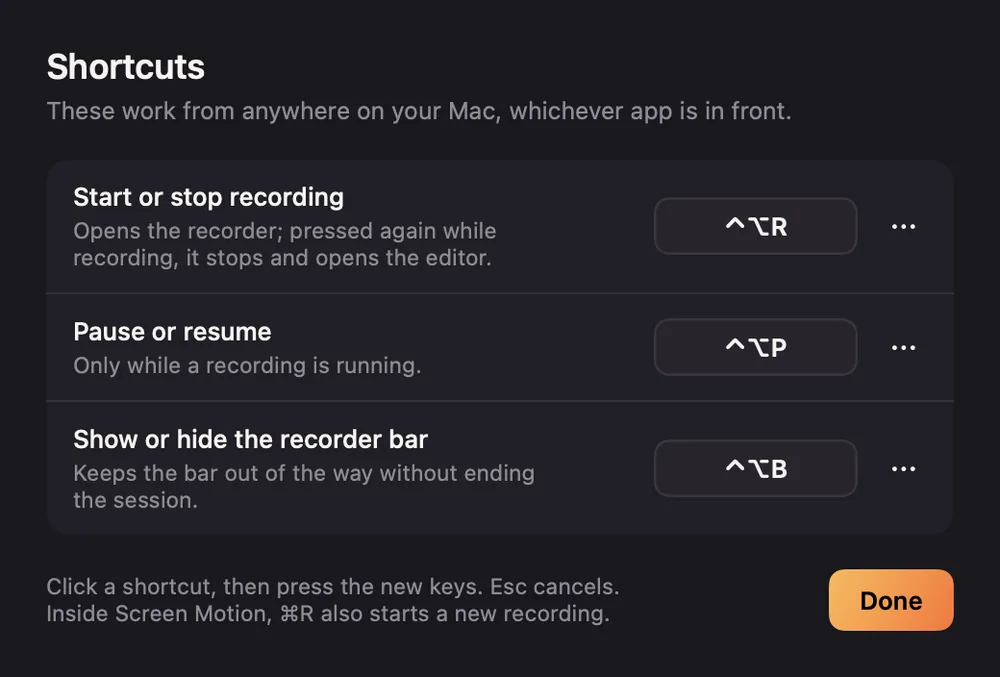
Click a shortcut, then press the new keys. Esc cancels. The … menu beside each one can reset it or turn it off.
A shortcut needs ⌃, ⌥ or ⌘ with a key, so it can't be typed by accident. Function keys work on their own. Screen Motion tells you if the keys are already taken.