
Open the Camera settings. If the recording has no camera, choose one on the recorder bar before you record next time.
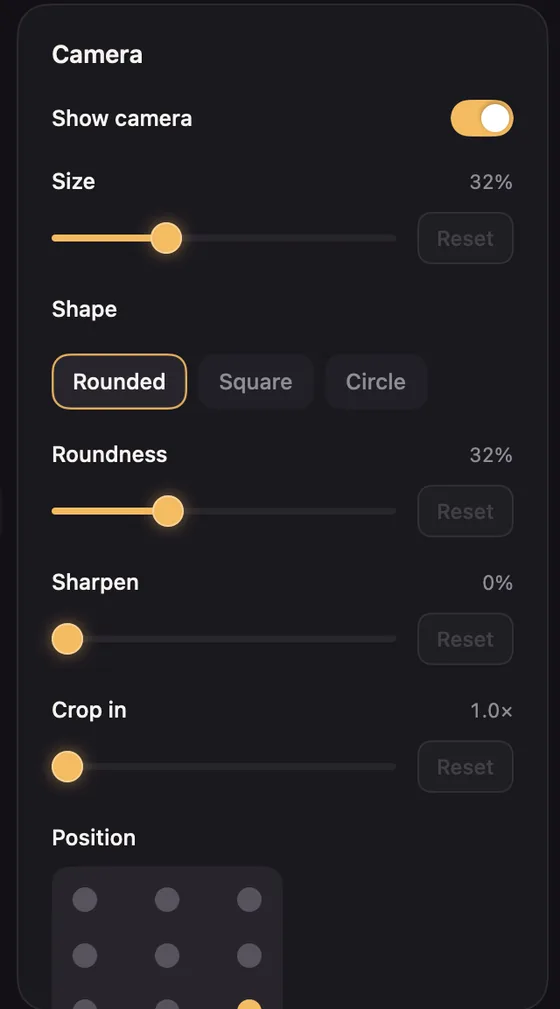
- Show camera turns it on or off for the whole video.
- Size sets how big the camera is.
- Shape: Rounded (a wide picture, the default), Square or Circle. Roundness sets how round the corners are.
- Position: nine places, from top left to bottom right. The default is bottom right.
- Mirror flips the picture, so you look the way you do in a mirror. It is on by default.
- Sharpen adds a little crispness to a soft webcam.
- Crop in zooms into the camera picture. Above 1×, two more sliders choose which part to keep.
Look
Look tints the camera: Natural, Warm, Cool, Vivid or Mono, with Look strength. To match a colour grade, choose Load Color Look (.cube)… and pick a LUT file.