Every shortcut in the editor.
Press ⌘/ in the editor to see this list at any time.
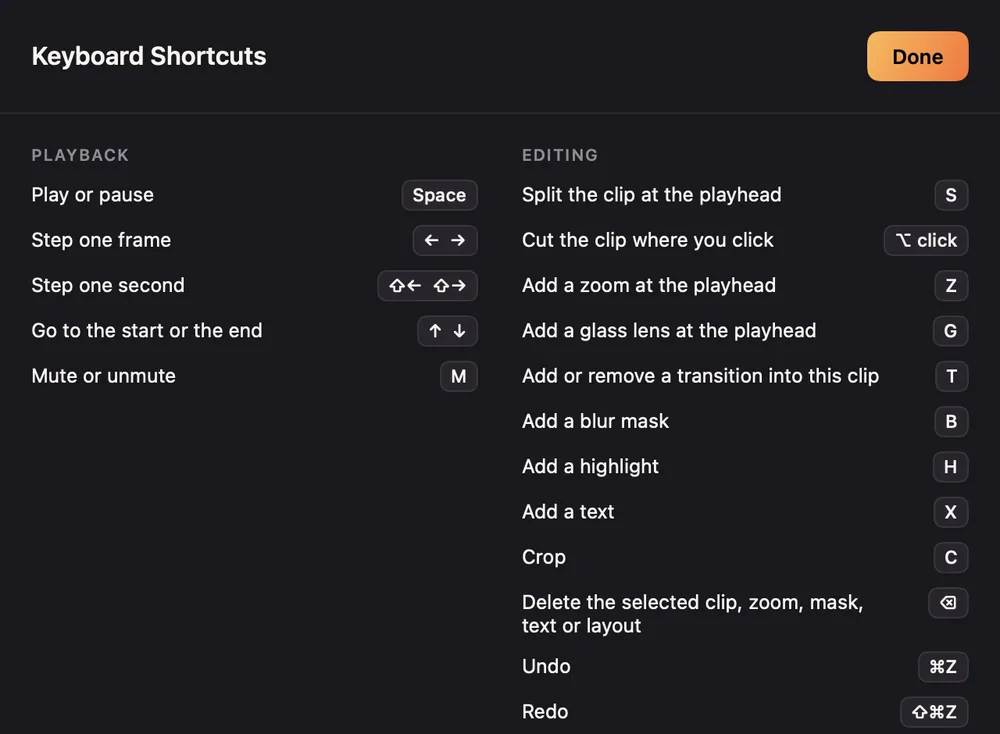
Playback
| Keys | Does |
|---|
| Space | Play or pause |
| ← → | Step one frame |
| ⇧← ⇧→ | Step one second |
| ↑ ↓ | Go to the start or the end |
| M | Mute or unmute |
Editing
| Keys | Does |
|---|
| S | Split the clip at the playhead |
| ⌥ click | Cut the clip where you click |
| Z | Add a zoom at the playhead |
| G | Add a glass lens at the playhead |
| T | Add or remove a transition into this clip |
| B | Add a blur mask |
| H | Add a highlight |
| X | Add a text |
| C | Crop |
| ⌫ | Delete the selected clip, zoom, mask, text or layout |
| ⌘Z | Undo |
| ⇧⌘Z | Redo |
Camera layouts
| Keys | Does |
|---|
| 1 | Camera only |
| 2 | Split screen |
| 3 | Screen only |
| 4 | Camera cutout |
View and app
| Keys | Does |
|---|
| ⌘= ⌘- | Zoom the timeline in or out |
| ⌘0 | Fit the timeline |
| ⌘K | Command menu |
| ⌘E | Export |
| ⌘S | Save |
| ⌘/ | Show the shortcuts |
| ⌘R | New recording |
| Keys | Does |
|---|
| ⌘O | Open a project, video or screenshots |
| ⌥⌘Z | Open the last project |
| ⇧⌘O | Show the project in Finder |
| ⌥⌘3 ⌥⌘4 ⌥⌘5 | Record a display, a window or an area |
| ⌥⌘6 | Record an iPhone or iPad |
| ⌥⌘S | Quick export to a file |
| ⌥⌘C | Quick export to the clipboard |
For shortcuts that work outside Screen Motion, see Global shortcuts.
