
Recording and editing are free. Exporting needs a licence. Without one, everything you record and edit is kept, and you can activate at any time to export it.
Enter your key
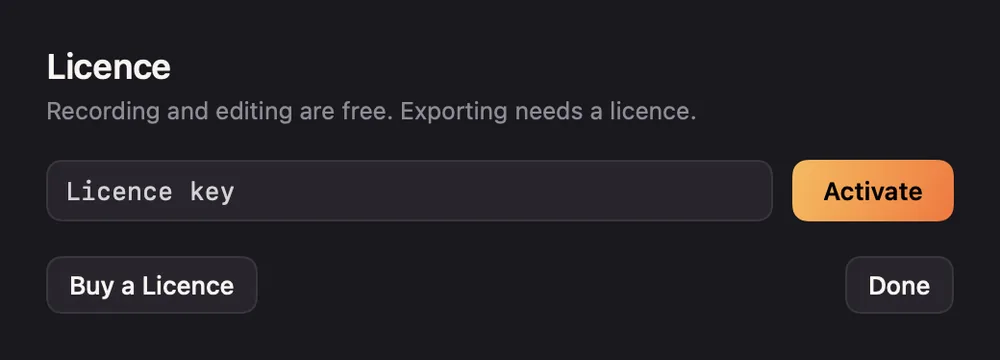
- Click Enter Licence at the top of the home window. You can also click Enter Licence… in the export window.
- Paste the key from your purchase email into Licence key.
- Click Activate, or press Return.
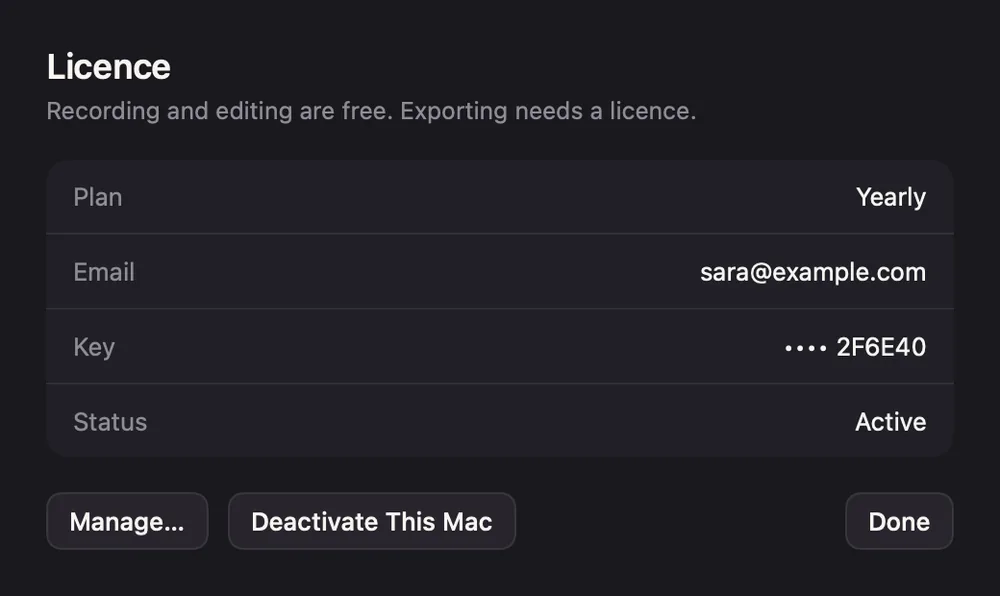
Once it's active, the Licence window shows your Plan, Email, the end of your Key and its Status.
Plans
- Lifetime is paid once. It never expires and covers every version released within a year of purchase. Status reads Active · updates until that date.
- Monthly and Yearly are subscriptions. They stay active while the subscription runs. Status reads Active until the renewal date.
If activation fails
| Message | What to do |
|---|---|
| That licence key was not found. Check it against your receipt. | Copy the key again from your email, without spaces. |
| A message about how many Macs the key allows | Deactivate it on a Mac you no longer use. See Managing your licence. |
| That key is for a different product. | Use the key from your Screen Motion purchase. |
| Could not reach the licensing service. | Check your internet connection and try again. |
Lost the email? See Lost licence key.